
Server rooms and hardware
Most of this job is invisible. This part is not.
Cable management, labeling, documentation and racks that somebody can work on at two in the morning. It is the least glamorous thing we sell and the easiest to show you, so here are ours, before and after, with the dates on them.
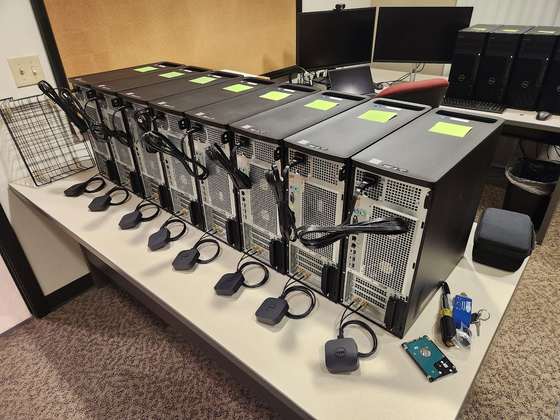
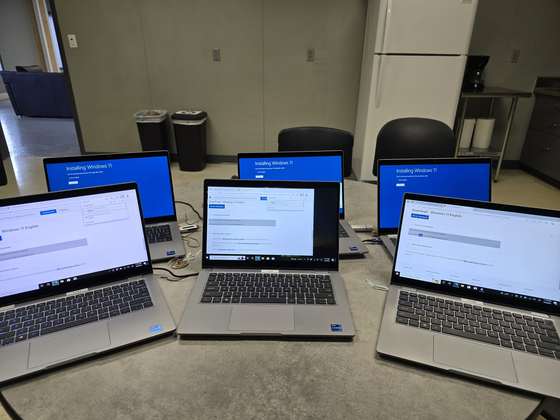
Every piece of gear we ship was configured and tested on a bench in Pell Lake first. Problems found here cost an afternoon. Problems found in your server room cost production.
The second-host story Gold Star survey"Everyone I've worked with at Midwest IT has been fast and efficient in helping me, all while being pleasant as well."
Client, 2021 to 2025 surveyMore from the survey wallSame day
Three rooms that changed between breakfast and dinner
These are not staged and they are not a year apart. The timestamps on the photographs are hours apart, on the same day, by the same people.
A contractor's equipment wall
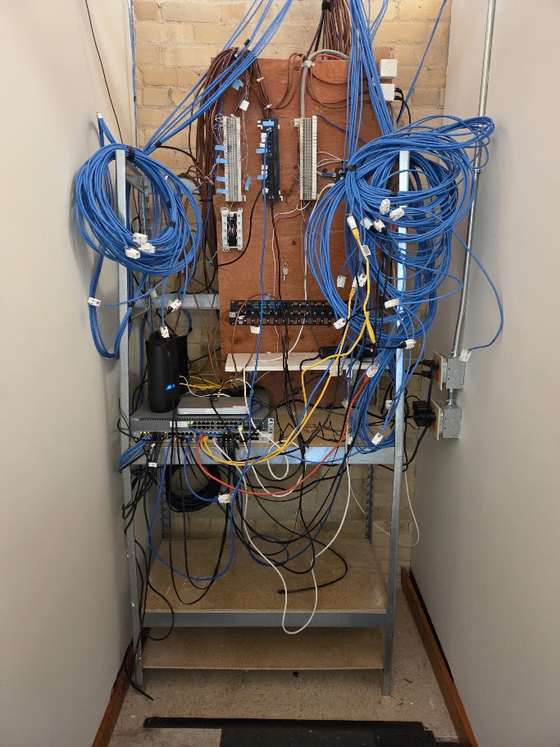
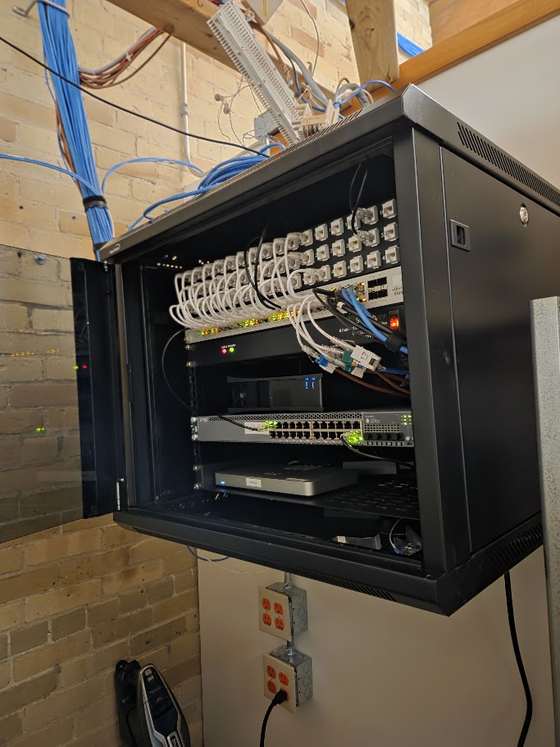
A concrete contractor, mid acquisition
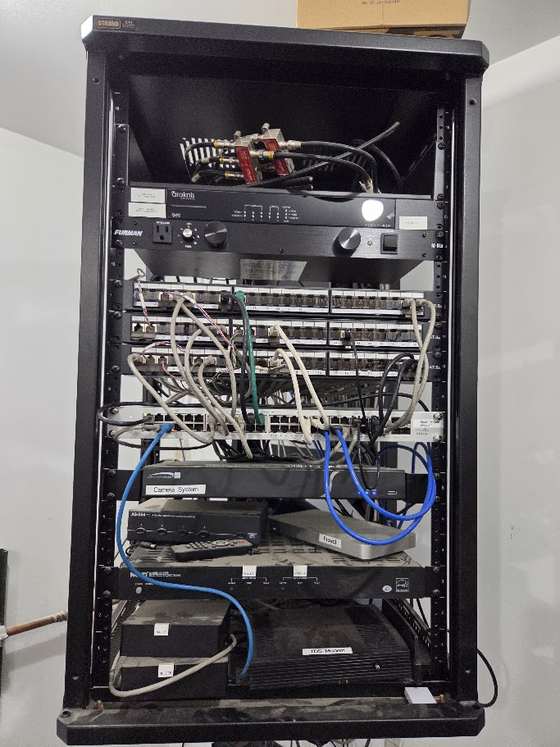

A utility room beside a water heater
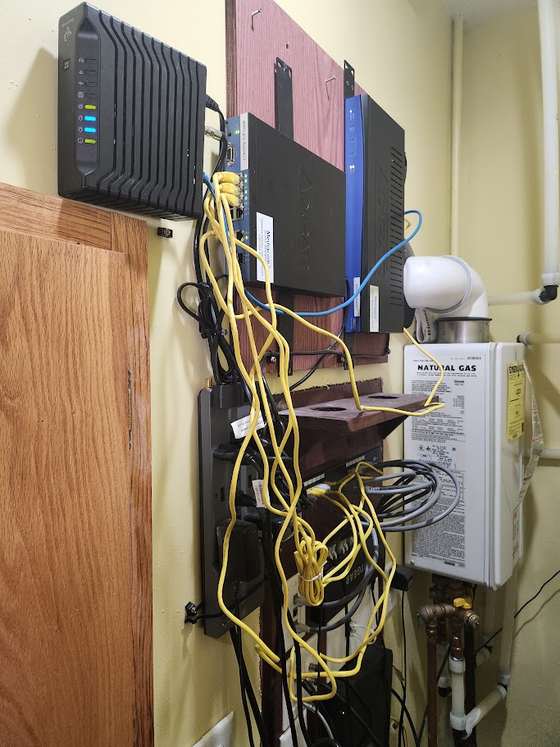

Four years
The part a before and after photograph usually hides
Anyone can tidy a rack once. The question worth asking an IT company is what that rack looks like three years later, after a hundred changes have been made to it by people in a hurry.
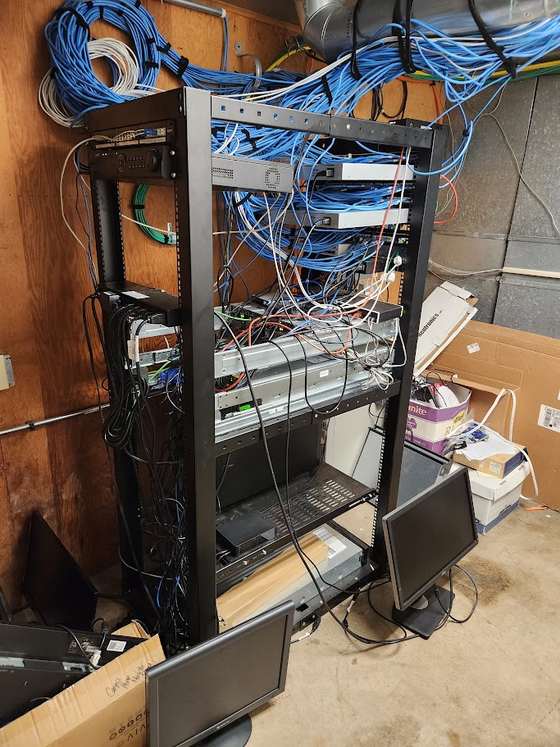
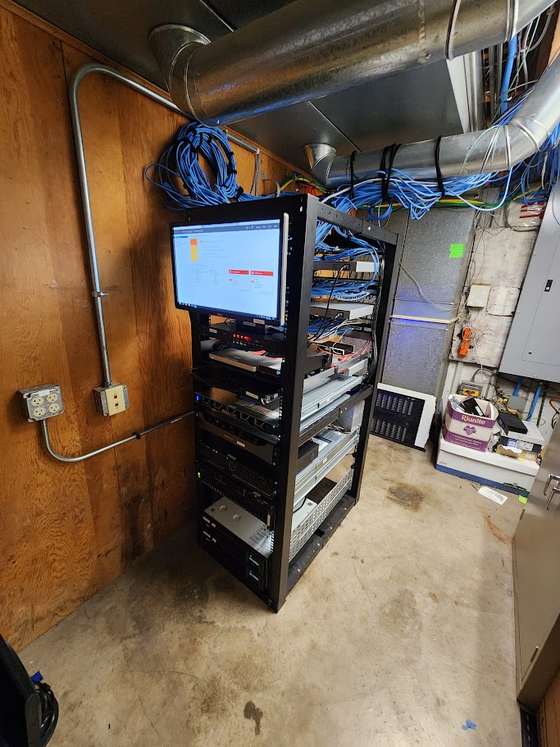
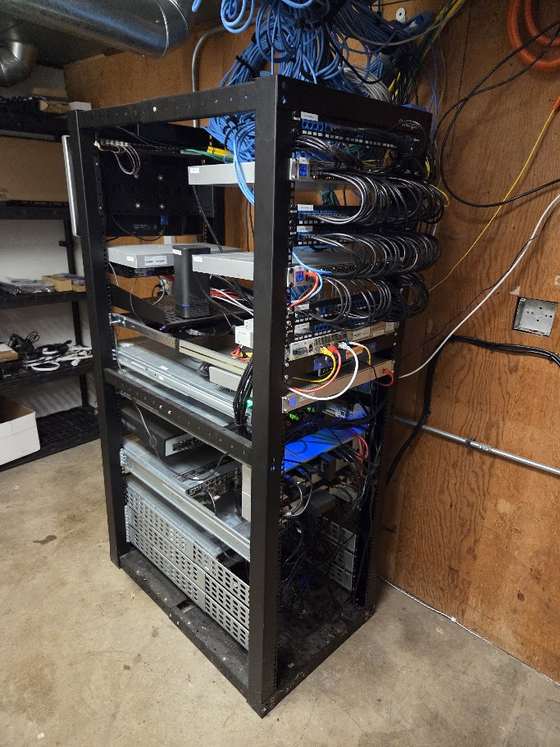
What a reorganization actually involves
It is not tidying. A rack that merely looks better is a rack that will be a mess again in a year. The work is making the room possible to reason about, so that the next person who opens it, at any hour, under any amount of pressure, can see what they are looking at.
Why it matters on the worst day
Nobody buys a cable management project because the cables are ugly. They buy it, when they buy it at all, because somebody has finally had the experience of standing in front of a rack at eleven at night trying to work out which of forty identical gray cables goes to the thing that is down.
A labeled, documented room turns a two-hour outage into a twenty-minute one. That is the entire business case, and it only ever presents itself on a day you did not plan for.
The room decides how long your equipment lives
We have opened a cupboard and found a server under a desk, and we have found a firewall cooked to death in a south-facing block room with no airflow that ran close to a hundred degrees in summer. The equipment in that second room did not fail. The room failed, and the equipment went with it.
That is the part worth understanding before you spend anything. Most of the hardware we replace early did not wear out. It ran hot, or dusty, or on a circuit shared with something that should not have been on it. Heat is the one that does the quiet damage: as a rule of thumb, every ten degrees Celsius above what a device is designed for roughly halves the life of the electronics inside it. A room running twenty degrees warm does not announce itself. It just turns a seven-year server into a four-year one, and the invoice arrives three years early.
So we look at the room as hard as we look at the rack, and we would rather have that conversation while everything is working.
Which room to use, and which to avoid
Most small businesses do not get to design a server room. They get to pick the least bad space in a building that was finished before anyone thought about it. That is a real constraint and it is usually workable, as long as the choice is made deliberately.
What makes a room work
What causes the problems
The two we argue about most often are the storage closet and the basement. A closet is fine if it gets real air and stays locked; it is not fine as a closet that also holds the Christmas decorations, because every box in front of the rack is an airflow problem and every person looking for something is a cable problem. A basement is fine if it has never taken water and has a working sump with an alarm on it. If it has flooded once, it will flood again, and the gear belongs upstairs.
Heat, which is where most of it goes wrong
Equipment vendors design for roughly 18 to 27 degrees Celsius, about 64 to 81 Fahrenheit, at the front of the machine where it draws air in. Sitting at the top of that range is fine. What kills equipment is the part nobody sees.
Building air conditioning turns off at night and at weekends. That is when a small server room does its worst work. The office is empty, the thermostat has stepped back, the door is shut, and the room climbs all weekend with nothing to push against. Monday morning it is cool again and nobody knows anything happened. We have logged rooms that sit at a comfortable 22 on a Tuesday afternoon and touch 40 by Sunday night.
The fix is usually not expensive. A small dedicated cooling unit for the room, on its own control, running whenever it needs to rather than whenever the building does. For a closet-sized room that is often a single mini-split, and it costs less than the server it protects. A transfer fan into a larger conditioned space works for very small loads. What does not work is leaving the door open, because the first person who wants the room quiet closes it.
Airflow, inside the rack and around it
Servers and switches pull cool air in the front and push hot air out the back. Almost every airflow problem we find is that arrangement being broken somewhere.
The wall-mounted racks we fit in small rooms need thinking about twice, because a swing-out rack has to swing and a fixed one has to be reachable. We leave the space to open it. A rack you cannot get behind is a rack somebody will work on badly at eleven at night.
Power
A server room wants its own circuit. Not the one with the copier on it, and definitely not the one somebody plugs a space heater into in February. We check what else is on it, because a breaker that trips for a reason nothing to do with you still takes your business down.
A battery backup is for a graceful shutdown, not for riding out an outage. Sized properly it gives the servers enough time to close down cleanly and come back without a corrupted database, and it smooths out the brownouts and spikes that do slow damage the rest of the time. The part people miss is that batteries wear out on a three to five year cycle and fail quietly. An untested battery backup is the same promise as an untested backup: comforting and unverified. We test them and we replace them on a schedule.
Water, and everything above the ceiling
Look up before choosing the room. We have found racks under a staff kitchen, under a second-floor bathroom, and directly beneath a roof drain that had been patched twice. Water finds electronics and a leak that would be a mop and a bad afternoon anywhere else is a replacement and an outage in a server room.
Where we cannot move the room, we raise the equipment off the floor, put a leak sensor at the low point tied into the same alerting as everything else, and write the exposure down so it is a known risk rather than a surprise.
Making the best of the space you actually have
Very few of these rooms are ideal, and the job is getting the most out of what is there. A shallow closet may take a wall-mounted rack where a floor rack will not fit. A room with one good wall may want everything on that wall and nothing on the others. Where the internet enters the building often decides more than anyone expects, because moving that demarcation point is the expensive part and running a clean link from it is not.
We also leave room to grow. A rack filled to the last unit on install day is a rack that gets stacked on top of, and a year later the tidy room is the old room again. Planning for the next server, the next switch and the next two years of cabling is most of what separates a room that stays organized from one that has to be done twice.
If you are building or fitting out, this is the cheapest possible moment to get it right. Conduit, drops, the circuit, the cooling and where the room sits are all decisions on a drawing, and we would much rather be in that conversation than inherit the result.
Knowing before you do
Where it is worth it we fit an environment monitor: temperature, humidity and power, texting a list of people whatever the hour. It is one of the cheapest pieces of protection available and it has paid for itself here more than once. It is also the only way anyone finds the weekend problem, because it logs over time rather than telling you what the room is doing while you happen to be standing in it.
The Saturday that firewall died is its own story, and it is not the story you would expect.
How warm is too warm for a server room?
Equipment is designed for roughly 18 to 27 degrees Celsius, 64 to 81 Fahrenheit, measured at the front where it draws air in. The reading that matters is not the one on a Tuesday afternoon, it is the one at 2am on a Sunday when the building air conditioning has stepped back and the door is shut.
Does the room need its own air conditioning?
Often yes, and it is cheaper than people expect. The problem is almost never the working day, it is nights and weekends when the building system steps back. A small dedicated unit on its own control, or a transfer fan for a very small load, solves it. Leaving the door open does not, because somebody always closes it.
Is this worth paying for if everything currently works?
That is exactly when it is worth doing, because it can be scheduled rather than done in an emergency at a premium. A room gets reorganized properly in a day when nothing is wrong. The same work during an outage takes longer and costs more.
How long does a room take?
Most take a day. The photographs above are hours apart. Larger rooms, or ones where things get replaced rather than re-dressed, run longer and get scheduled around your operating hours.
Do you have to switch everything off?
Usually not everything, and rarely during business hours. The plan says what goes down and when, and you sign off on it before anyone touches a cable.
What do we get at the end?
A room you can hand to somebody else. Labels, documentation, an inventory and photographs, all of which live with you and not just with us.
Can you do this for a building we are still constructing?
That is the cheapest time to do it. Conduit, drops and the server room are decisions made on a drawing, and we would rather be in that conversation than inherit the result.

"Draven was great!"
Jake, insurance brokerageMeet Draven- A technician who knows your setup takes every request. Not a dispatcher, not a queue.
- Every closed ticket is surveyed and a partner reads every response.
- 99.5% of surveys come back positive.
- Family-owned since 2005. 21 years in the same corner of Wisconsin, not going anywhere.
"Ryan was a fantastic help with my several issues and even identified other issues I was unaware of and resolved them as well."
Ethan, law firmWant to see your own before and after?
Send a photograph of your rack. We will tell you honestly whether it needs anything.
Talk to a partnerHardware is configured and tested in Pell Lake before it ships, so installation day is racking and plugging in rather than troubleshooting in your server room while your staff wait.
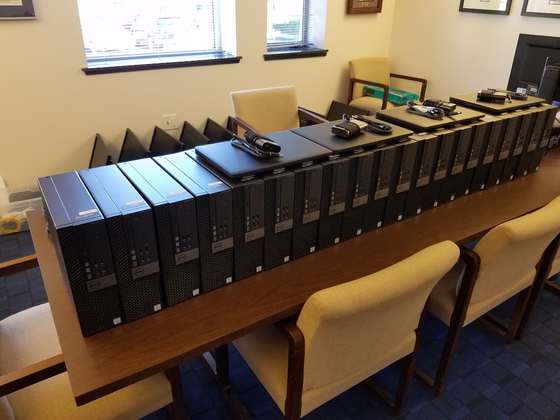
Nobody called us. The circuit was still down on Saturday morning, and it did not sit right.
A firewall cooked in a room nobody had thought about. An account manager who could not leave it alone, and a tornado on the drive out.
Read the story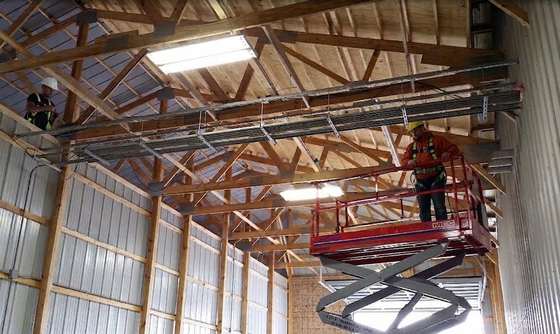
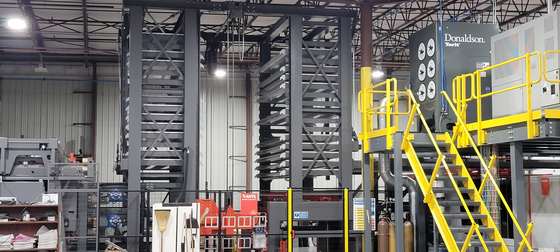
A new shop, then a new office, planned from the PDF of the drawings
Where the data drops go, what the server room needs, and whether to trench fiber or shoot a wireless link across the yard.
Read the storyTen inches of rain in three hours. Nothing went down. Ever.
The lowest building in the business park took the water. The rack was tall enough, the infrastructure was untouched, and the systems never stopped.
Read the storyWant somebody to look at the room?
We will come and look, take a few photographs, and tell you what we would change and what we would leave alone.